Εκτός από τις πολλές αναβαθμίσεις υπάρχει ένα πολύ σημαντικό άνοιγμα της Apple απόψε:

Join the OS X Beta Seed Program and help make OS X even better. Install the latest pre-release software, try it out, and submit your feedback.
https://appleseed.apple.com/sp/betaprogram
Alongside iOS 7.1.1, Apple has introduced a new OS X beta program that will see non-developers given an opportunity to download OS X betas before they are released to the public. Previously, participating in OS X betas required a developer account, priced at $99 per year.

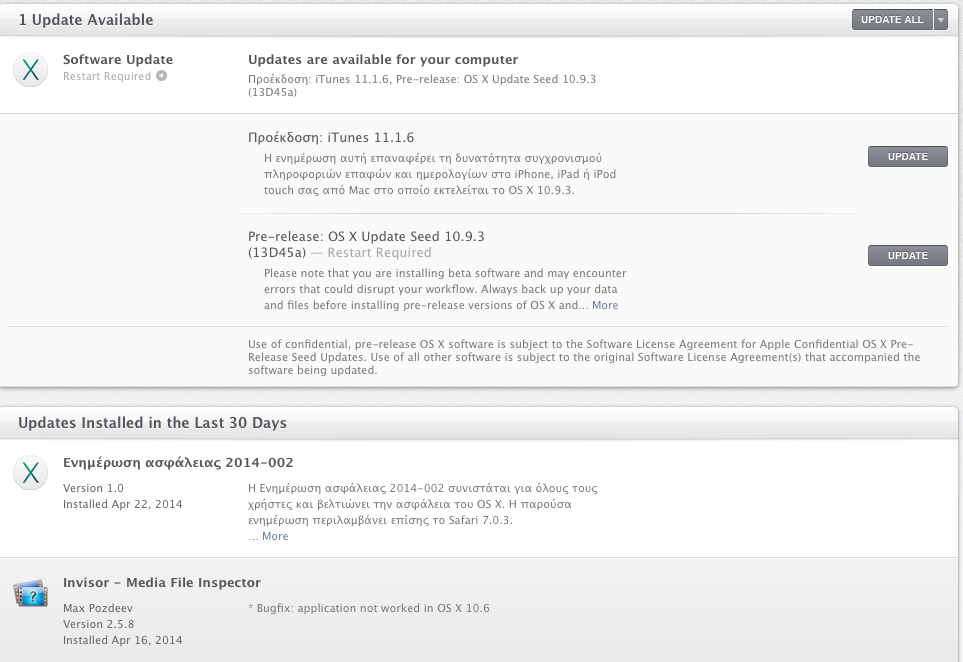
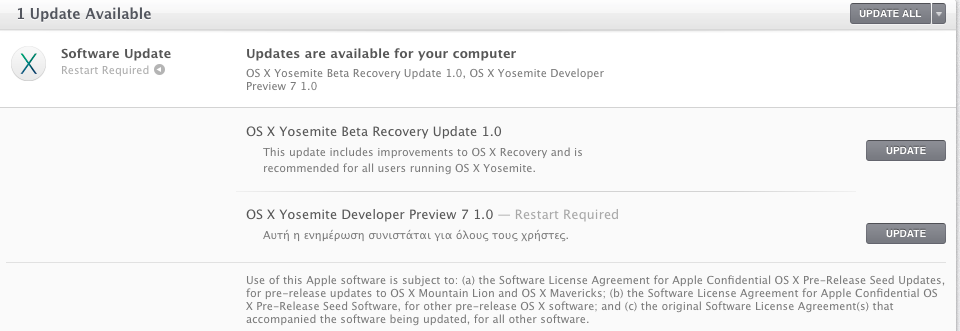
Join the OS X Beta Seed Program and accept the Beta Seed and Confidentiality Agreement. Apple will provide a Beta Access Utility for your Mac, which gives you access to pre-release versions of OS X in the Mac App Store Updates panel.
Users can apply to join the beta program on Apple's new Appleseed Beta website, which allows users to apply using an Apple ID.Apple requires everyone who signs up to sign a confidentiality agreement, which prevents users from disclosing, publishing, or disseminating confidential information to anyone not also enrolled in the Appleseed program.
After agreeing to keep beta information confidential, Apple asks users to make a backup on their Macs before downloading a special Beta Access Utility App which allows a Mac to be enrolled for beta software updates. All updates will be delivered via the Mac App Store, similar to standard OS X updates.
Join the OS X Beta Seed Program and help make OS X even better. Install the latest pre-release software, try it out, and submit your feedback.
https://appleseed.apple.com/sp/betaprogram
Alongside iOS 7.1.1, Apple has introduced a new OS X beta program that will see non-developers given an opportunity to download OS X betas before they are released to the public. Previously, participating in OS X betas required a developer account, priced at $99 per year.
Join the OS X Beta Seed Program and accept the Beta Seed and Confidentiality Agreement. Apple will provide a Beta Access Utility for your Mac, which gives you access to pre-release versions of OS X in the Mac App Store Updates panel.
Users can apply to join the beta program on Apple's new Appleseed Beta website, which allows users to apply using an Apple ID.Apple requires everyone who signs up to sign a confidentiality agreement, which prevents users from disclosing, publishing, or disseminating confidential information to anyone not also enrolled in the Appleseed program.
After agreeing to keep beta information confidential, Apple asks users to make a backup on their Macs before downloading a special Beta Access Utility App which allows a Mac to be enrolled for beta software updates. All updates will be delivered via the Mac App Store, similar to standard OS X updates.